
Best Linux Distros for Beginners in 2026? Here Is What Actually Works

Linux distros for beginners have never been more accessible than they are in 2026. Whether you are switching from Windows, leaving macOS behind, or simply curious about open-source computing, modern Linux distributions offer polished interfaces that rival commercial operating systems. According to reports from ZDNET, several distributions now provide out-of-the-box experiences that require minimal technical knowledge. The key is choosing a distro that matches your comfort level and hardware.
Why Linux Makes Sense for Beginners Now?
Linux has transformed from a developer-only tool into a genuine alternative for everyday users. The distributions available today emphasize graphical installers, pre-configured desktops, and extensive documentation. According to Linux Journal, even someone who has never touched a command line can get up and running quickly with the right distribution. The community support surrounding major distros means help is always available through forums and official documentation.
Modern Linux handles wireless networking, graphics drivers, and peripheral support automatically. You no longer need to manually configure network cards or hunt down proprietary drivers. The best Linux distros for beginners in 2026 prioritize these conveniences while maintaining the stability and security that Linux is known for.
Top Linux Distros for Beginners in 2026
Linux distros for beginners have evolved significantly, offering polished interfaces that rival commercial operating systems. According to Dev.to, the decision tree for choosing a Linux distro starts with whether you are new to Linux. If you are coming from Windows, Zorin OS provides the closest experience. If you want familiar but free, Linux Mint is the answer. If you are coming from Mac, Ubuntu or Fedora work best. The distributions below represent the most accessible entry points into the Linux ecosystem, each designed to minimize the learning curve while maximizing functionality.
1. Ubuntu LTS: The Reliable Default
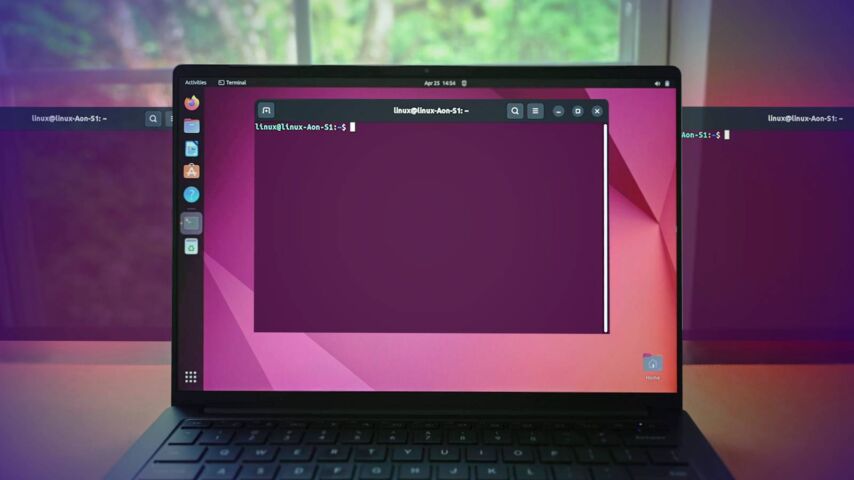
Ubuntu remains the most documented Linux distro on the planet. According to Dev.to, every tutorial, Stack Overflow answer, and blog post that says “on Linux, do this…” means Ubuntu. That’s genuinely valuable. It offers a polished GNOME desktop environment, massive software repositories, and five years of support through its Long-Term Support releases. The APT package manager provides access to the largest software repository available. Ubuntu installs in under 30 minutes and automatically detects most hardware. When developers create Linux software, they test on Ubuntu first. This distribution works best for complete beginners, Windows refugees, and anyone prioritizing stability and community support.
2. Linux Mint: Familiar Comfort for Windows Users
Linux Mint focuses on delivering a desktop experience that feels immediately familiar. According to Contabo, if someone asks what the best Linux distros for beginners are, Linux Mint is usually the first answer. Its Cinnamon edition mimics the classic Windows layout with a taskbar at the bottom and a traditional start menu. Mint is based on Ubuntu and Debian, installs in minutes, and comes with multimedia codecs pre-installed. It requires fewer system resources than Ubuntu, particularly when using the MATE or Xfce editions. The Update Manager lets you choose how aggressively to update, which is brilliant for cautious users. Linux Mint works best for Windows switchers, users with older hardware, and anyone who wants their computer to work the same way tomorrow as it does today.
3. Zorin OS: The Windows and macOS Alternative
Zorin OS is designed specifically with newcomers in mind. According to CloudHouse Technologies, Zorin OS offers a polished, Windows-like interface that makes it one of the easiest Linux distros for beginners and non-technical users. It includes a look-and-feel switcher that can mimic Windows or macOS out of the box. The system includes built-in tools for installing mainstream applications without touching the command line. Zorin performs well even on modest hardware and includes Zorin Connect for phone integration. The free Core edition is genuinely complete, though a paid Pro edition unlocks extra desktop layouts and professional app bundles. Zorin OS works best for schools, office environments, and first-time Linux users who want minimal tinkering.
4. Elementary OS: The Design-Focused Choice
Elementary OS prioritizes aesthetics and simplicity above all else. According to Linux Blog, Elementary OS is a beginner-friendly, design-forward distribution built on Ubuntu LTS. Its Pantheon desktop environment takes design cues from macOS, emphasizing visual consistency and intentional interface choices. The curated AppCenter includes only applications that match the design language, avoiding the visual inconsistency common in other distributions. Elementary limits customization options to preserve its design vision, which frustrates some users but delights those who value a cohesive experience. This distribution works best for macOS users, designers, and creative professionals who prioritize aesthetics over granular control.
5. Pop!_OS: Power for Creators and Gamers
Pop!_OS by System76 targets creative professionals, developers, and gaming enthusiasts. According to CloudHouse Technologies, Pop!_OS is optimized for performance and has excellent NVIDIA GPU support, making it ideal for gaming, video editing, and software development. It features a clean COSMIC desktop environment with built-in auto-tiling for efficient multitasking. The distribution includes excellent support for NVIDIA and AMD graphics drivers out of the box. System76 has gone out of their way to ensure that this distro is beginner-friendly by offering hundreds of informative videos and a growing list of help articles. Pop!_OS works best for creative professionals, developers, and anyone running modern hardware who wants cutting-edge performance.
6. Manjaro: Arch Without the Headache
Manjaro brings the power of Arch Linux to users without the complexity of building a system from scratch. According to Dev.to, Manjaro is Arch underneath but ships with a polished graphical installer, pre-configured desktop environments, and hardware detection that just works out of the box. The key difference is that Manjaro holds packages back from Arch’s repos for two extra weeks of testing before pushing to users. You’re still rolling, still fresh, but with a small safety buffer baked in. Manjaro offers multiple desktop editions including Xfce, KDE Plasma, and GNOME. It works best for intermediate beginners, curious users who want newer software, and those ready to leave Ubuntu behind.
7. MX Linux: Lightweight and Efficient
MX Linux focuses on performance and efficiency, making it ideal for older computers or low-resource systems. According to Linux Journal, while it is stable and user-friendly, it also includes powerful tools for system maintenance and troubleshooting. MX Linux is lightweight and fast even on older hardware, featuring handy system utilities called MX Tools. It strikes a good balance of simplicity and power, making it debut novice-friendly but also customizable. This distribution works best for users with older hardware or people who want efficient performance without sacrificing functionality.
8. Linux Lite: Simple and Accessible
Linux Lite is designed specifically as a perfect Linux distro for beginners, especially for older or lower-spec hardware. According to Yellowtail Tech, it is all about ease of use without sacrificing the essentials. It uses the Xfce desktop environment, which is lightweight and full-featured, perfect for new users. Linux Lite comes with pre-installed software for web browsing, document editing, and multimedia tasks. It offers extensive documentation and active forums for community support. The distribution includes intuitive tools for software installation, making it one of the best newbie starting points.
9. Fedora Workstation: Fresh and Professional
Fedora Workstation is often the first to introduce new Linux technologies. According to Business Today, it is the preferred choice for those who need the latest Python, Rust, or Docker versions before they reach other systems. Fedora provides a clean, professional desktop environment with excellent GNOME implementation. It balances stability with freshness, offering newer software than Ubuntu LTS while maintaining professional reliability. The distribution includes strong developer tools and excellent documentation. Fedora works best for developers, students, and users who want modern software without the complexity of rolling releases.
10. Bazzite: Gaming Made Simple
Bazzite has emerged as a standout choice for 2026, particularly for gamers. According to Business Today, it mimics the SteamOS experience, offering a gaming console interface that is perfect for both desktops and handheld PCs like the Steam Deck. Bazzite is based on Fedora and provides consistently high performance with easy setup. It handles NVIDIA and AMD GPU support seamlessly, making it ideal for users who want to game without wrestling with driver configurations. The immutable system design prevents accidental breakage while maintaining gaming performance. Bazzite works best for absolute beginners who want to game, handheld PC users, and those who want a console-like experience on their desktop.
Linux Mint vs Ubuntu: The Beginner Dilemma
The choice between Linux Mint and Ubuntu represents the most common decision for new Linux users. Both distributions share the same underlying foundation, but their philosophies differ significantly.
| Aspect | Linux Mint | Ubuntu |
|---|---|---|
| Desktop | Cinnamon, MATE, Xfce with traditional layout | GNOME with modern workflow |
| Performance | Lighter on resources, better for older hardware | Slightly more resource hungry |
| Software | Snappy Software Manager, no Snap packages | Software Center, pushes Snap format |
| Updates | Conservative approach prioritizing stability | More frequent updates and features |
| Interface | Windows-like and highly customizable | Streamlined with less customization |
| Support | Community-based | Community plus paid Canonical support |
According to GeekFlare, Linux Mint offers a Windows-like interface that makes it excellent for those shifting from Windows machines. Ubuntu, while equally easy to use, focuses on a unified experience across devices. Linux Mint provides more flexibility and customization through its Cinnamon desktop, while Ubuntu prioritizes design consistency.
The installation process for both distributions is straightforward with graphical installers. Linux Mint includes pre-installed multimedia codecs, while Ubuntu requires additional downloads for some media formats. Both offer five years of Long-Term Support, though Ubuntu’s enterprise backing provides additional security oversight.
How to Choose Your First Linux Distro?
Selecting the right distribution depends on your specific situation and goals. Consider these factors when making your decision.
- Your current operating system. Windows users often prefer Linux Mint or Zorin OS for their familiar layouts. macOS users typically enjoy Elementary OS or Ubuntu.
- Your hardware age. Older machines from 2012 to 2018 run better on Linux Mint Xfce or MX Linux. Modern hardware handles any distribution comfortably.
- Your technical comfort. Absolute beginners should start with Ubuntu, Zorin OS, or Linux Mint. Those wanting newer software without complexity might try Manjaro.
- Your intended use. General productivity suits Linux Mint or Ubuntu. Gaming and creative work favors Pop!_OS. Development environments work well with Fedora or Ubuntu.
According to Dev.to, the decision tree for choosing a Linux distro starts with whether you are new to Linux. If yes, and you are coming from Windows, Zorin OS provides the closest experience. If you want familiar but free, Linux Mint is the answer. If you are coming from Mac, Ubuntu or Fedora work best.
Frequently Asked Questions (FAQs)
Newcomers to Linux often have similar questions about compatibility, usability, and support. The following answers address the most common concerns people have before making the switch to Linux distros for beginners.
1. Can I try Linux without installing it?
Yes. According to Linux Journal, you can try many of these distros live from USB drives before installing. This lets you test if the distribution feels right without touching your hard drive. Most distributions offer live environments that run entirely from USB, allowing you to explore the interface and test hardware compatibility.
2. Will Linux work with my existing hardware?
Modern Linux distributions automatically detect most wireless cards, graphics processors, and peripherals during installation. Ubuntu and Linux Mint include broad hardware compatibility. Older or specialized hardware may require additional drivers, which Linux Mint handles particularly well through its Driver Manager.
3. Do I need to use the command line?
No. The best Linux distros for beginners in 2026 provide graphical tools for software installation, system updates, and configuration. While the command line offers additional power, you can perform daily tasks entirely through point-and-click interfaces.
4. How do I get help if something goes wrong?
Ubuntu offers Ask Ubuntu, a massive community forum with step-by-step solutions for virtually any problem. Linux Mint has excellent community documentation and forums. Both distributions benefit from the broader Ubuntu community since Mint is based on Ubuntu. Zorin OS and Elementary OS maintain active community spaces as well.
5. Is Linux free to use?
Yes. All distributions mentioned here are free to download, install, and use. Some distributions like Elementary OS use a pay-what-you-want model for their AppCenter, but this is completely optional. The operating system itself carries no cost.
Getting Started with Linux
Linux distros for beginners in 2026 offer genuine alternatives to Windows and macOS without the technical barriers of the past. Ubuntu provides the safest, most supported entry point. Linux Mint delivers familiarity for Windows refugees. Zorin OS removes intimidation for the completely non-technical. Elementary OS appeals to design-conscious users. Pop!_OS serves those who need performance for creative work.
The best approach is to download a few distributions, create bootable USB drives, and test them in live mode. Your hardware, workflow, and personal preferences will quickly reveal which distribution feels right. Linux has never been more accessible, and 2026 represents an ideal time to make the switch.