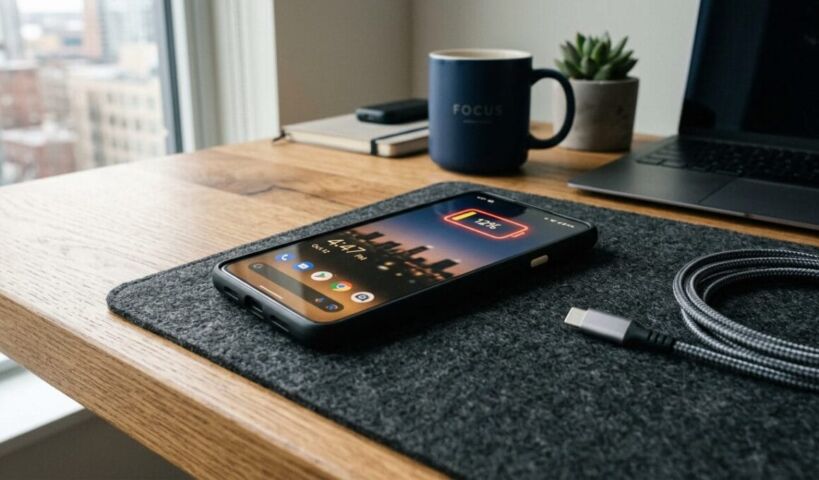
Easy Phone Battery Optimization Tips 2026: That Save Hours of Use

Phone battery optimization tips 2026 are more relevant than ever as smartphones become increasingly powerful and power-hungry. Modern devices now feature larger displays, faster processors, and 5G connectivity that drain energy faster than previous generations. Many users find themselves reaching for chargers by mid-afternoon, which creates frustration and limits productivity. The good news is that you can significantly extend your battery life without sacrificing essential features. Understanding how your device consumes power is the first step toward making smarter choices about usage and settings.
Understanding Modern Battery Technology
Today’s smartphones rely on lithium-ion batteries that degrade gradually over time and charge cycles. According to research, most phone batteries maintain about 80 percent of their original capacity after 500 complete charge cycles. Heat remains the biggest enemy of battery health, as elevated temperatures accelerate chemical breakdown inside the cell. Manufacturers have implemented smarter charging algorithms, but user habits still play a crucial role in longevity. Learning how these batteries work helps you make informed decisions about daily charging routines.
Essential Settings to Maximize Battery Life
Your phone contains numerous hidden settings that can dramatically reduce power consumption without affecting performance. Start by lowering screen brightness or enabling adaptive brightness, since the display typically accounts for 30 to 50 percent of total battery drain. Turn off location services for apps that do not need constant GPS tracking, as this feature runs continuously in the background. Disable push notifications for non-essential applications, which prevents your device from waking up repeatedly throughout the day. Consider using dark mode on OLED screens, as black pixels require no power to display. These small adjustments add up to hours of additional usage between charges.
Smart Charging Habits for Long-Term Health
How you charge your phone matters just as much as how you use it throughout the day. Avoid letting your battery drop below 20 percent or charging it to 100 percent every single time, as extreme states stress the battery chemistry. Many experts recommend keeping your charge level between 20 and 80 percent for optimal longevity. Remove thick cases while charging, especially during fast charging, since heat buildup damages battery capacity permanently. Overnight charging is generally safe with modern devices, but using a slower charger reduces heat generation. Wireless charging generates more heat than wired alternatives, so use it sparingly when battery health is a priority.
Managing Apps and Background Activity
Applications running in the background consume significant power even when you are not actively using them. Review your battery usage statistics regularly to identify which apps drain the most energy unexpectedly. Force-close applications that you do not need rather than letting them remain suspended in memory. Restrict background data and refresh permissions for social media and shopping apps that constantly sync updates. Update your apps frequently, as developers often release optimizations that improve efficiency. Consider uninstalling apps you rarely use, since they may still run background processes without your knowledge.
Frequently Asked Questions (FAQs)
Many people have specific concerns about preserving their phone battery in practical situations. Understanding these common scenarios helps you apply optimization strategies effectively in your daily routine.
1. Does using dark mode really save battery?
Dark mode saves significant battery life on OLED and AMOLED screens because black pixels are completely turned off. However, the benefit is minimal on LCD screens since the backlight remains active regardless of display color. You will notice the biggest improvement when using dark mode in low-light environments where bright white backgrounds would otherwise dominate. The savings become especially noticeable during extended reading sessions or when browsing websites with dark themes. Overall, dark mode serves as a worthwhile setting for most modern smartphones.
2. Should I let my phone battery die completely before charging?
You should avoid letting your phone battery drain completely, as deep discharges stress lithium-ion cells and accelerate degradation. Modern batteries perform best when kept within the 20 to 80 percent range rather than experiencing extreme cycles. Completely draining your battery also risks temporary shutdowns that could corrupt data or cause software issues. Charge your device whenever convenient rather than waiting for low battery warnings. This approach maintains stable voltage levels and prolongs overall battery lifespan.
3. Is fast charging bad for my phone battery?
Fast charging generates more heat than standard charging, which can contribute to battery wear over extended periods. Most manufacturers include thermal management systems that throttle charging speed when temperatures rise too high. Using fast charging occasionally causes minimal harm, but relying on it exclusively may reduce long-term capacity. Standard 5-watt or 10-watt chargers produce less heat and are gentler on battery chemistry. For daily charging, slower methods preserve health while fast charging works best for urgent situations.
Building Sustainable Battery Habits
Small consistent changes to your daily routine create lasting improvements in battery performance and longevity. Start by implementing one or two strategies from this guide rather than overwhelming yourself with every possible optimization. Monitor your battery health settings monthly to track how your habits affect capacity over time. Remember that batteries are consumable components that will eventually require replacement, but proper care delays that necessity significantly. Phone battery optimization tips 2026 work best when tailored to your specific usage patterns and device type.